
When players search for upcoming Free Fire updates, they frequently encounter links for the Astute Beta Server APK. However, installing executable files distributed outside verified app stores is a digital risk. To safeguard your device, you must understand the architecture of these packages, how they are reverse-engineered, and how to verify file integrity before installation.
What is an Android APK? The Architecture of Mobile Packages
An APK (Android Package Kit) is the standard file format utilized by the Android operating system for the distribution and installation of mobile applications. Similar to .exe files on Windows or .dmg packages on macOS, an APK compiles all the necessary assets and executables into a single compressed archive.
Technically, an APK is a ZIP archive that can be extracted using any standard decompression utility. If you unpack a standard APK file, you will find the following core directory structure:
classes.dex: The compiled Java/Kotlin source code written by developers, converted into Dalvik Executable (DEX) bytecode. This bytecode runs directly on the Android Runtime (ART) virtual machine. Large applications often feature multiple DEX files (e.g.,classes2.dex,classes3.dex).lib/: A directory containing compiled native libraries (typically written in C or C++) compiled for specific CPU architectures, such asarmeabi-v7a(32-bit ARM) orarm64-v8a(64-bit ARM). Games utilize these libraries to manage graphic rendering and physics calculation engines.assets/: A folder storing raw asset files that the game loads dynamically. In Free Fire, this includes character skins, sound effects, lobby UI elements, and map coordinate textures.AndroidManifest.xml: The central configuration file that outlines the package name, application version, activities, services, broadcast receivers, and the exact hardware permissions the application requests from the OS.META-INF/: The cryptographic signature directory. It stores the developer's public certificate, the manifest hash file (MANIFEST.MF), and signature block file (CERT.SF/CERT.RSA), which verify that the code has not been altered since it was signed.
When you install an application from the Google Play Store, Android manages download, cryptographic verification, and extraction automatically. However, when you sideload an APK (manually download and install a raw package), you bypass Google's vetting pipeline, shifting the burden of security analysis entirely to yourself.
Modded vs. Standard APKs: The Modification Cycle
An official Free Fire APK is compiled, obfuscated (often using tools like ProGuard or DexGuard to scramble the code structure), and signed by Garena. In contrast, the Astute Beta Server APK is a modified (or "modded") client. It is created by reverse engineers who systematically alter the game's binary files.

The reverse-engineering workflow generally follows these precise stages:
1. Decompilation
The modder uses a tool like apktool or JADX to extract the original APK. This decodes the compiled XML resources and converts the binary DEX bytecode into Smali—an assembly-like representation of Dalvik bytecode that is human-readable.
2. Bytecode Manipulation
The modder searches through the Smali code for licensing checks, billing verification scripts, and network socket variables. They modify the instructions, changing conditional jumps (e.g., swapping a if-eqz check to bypass registration walls) or hardcoding new IP addresses to redirect traffic to private server emulators.
3. Re-compilation
Once edits are made, the code is assembled back into binary Dalvik Executable files, and resources are repacked. The modder outputs a newly generated APK file.
4. Cryptographic Signing
Because the modded bytecode no longer matches Garena's original signature, Android will refuse to install the package. To get around this, the modder creates a generic keystore (private key) using tools like apksigner or jarsigner and signs the modified binary. The app is now ready to run on any device with "Unknown Sources" enabled.
This modification pipeline opens up dangerous vulnerabilities. While some modders only change network endpoints, others use the decompiled code to insert malicious hooks. Since they have direct access to compile bytecode, they can easily embed Trojan scripts that execute in the background when the game boots.
Auditing APK Permissions: AndroidManifest.xml Deep Dive
One of the most effective ways to identify a malicious game modification is to audit the hardware and system access permissions it requests during installation. In Android, permissions are declared inside the AndroidManifest.xml file.
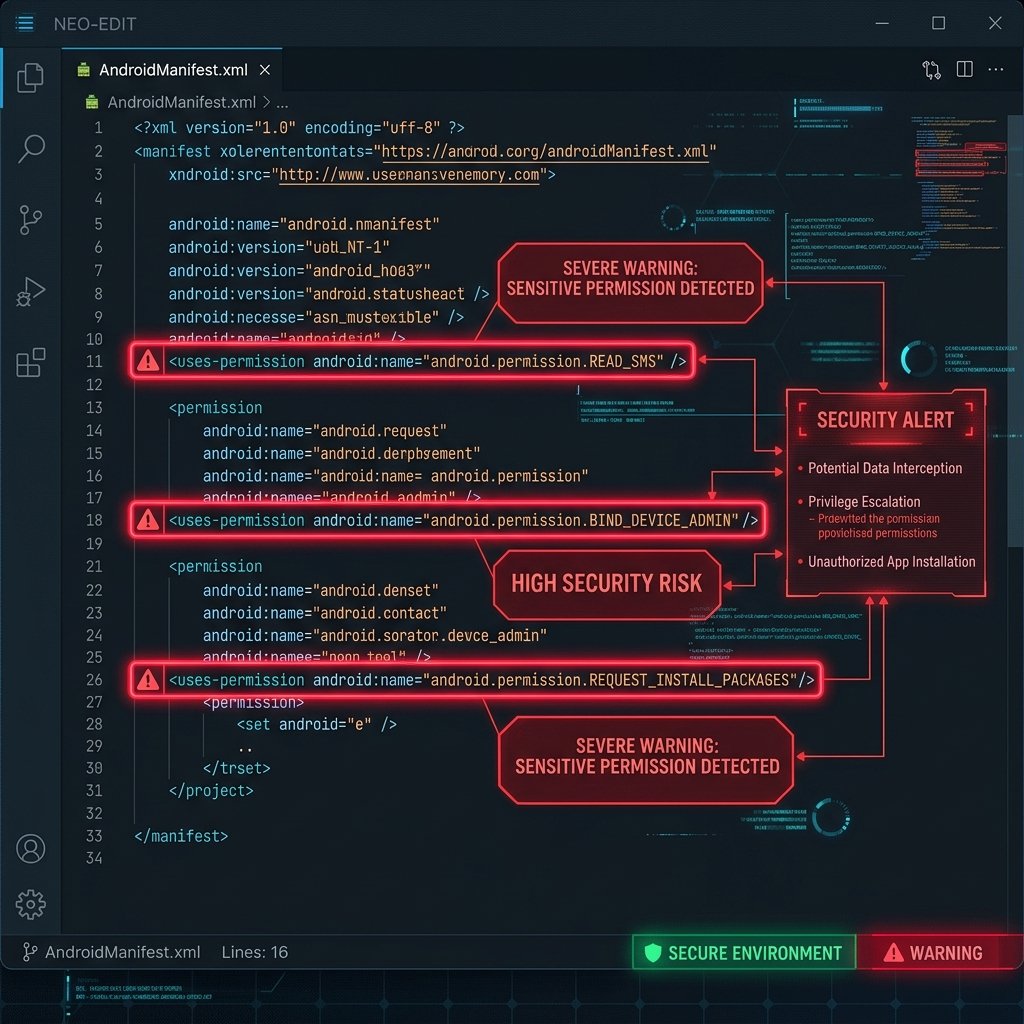
While Garena Free Fire requires basic permissions to operate (such as internet access for matchmaking, storage access to cache map assets, and microphone access for team voice chat), the Astute Beta Server APK often requests highly intrusive, unnecessary privileges.
Here are the critical, high-risk permissions that serve as immediate security red flags if found in a modified gaming APK:
android.permission.RECEIVE_SMS&android.permission.READ_SMS: Permits the application to read incoming text messages and intercept code strings. Game files have no legitimate reason to access SMS data. Malware uses this to bypass Two-Factor Authentication (2FA) codes or secretly register your number to paid subscription services.android.permission.READ_CONTACTS: Allows the application to harvest your address book. Spammers and hackers exploit this data to spread phishing links or track social networks.android.permission.SYSTEM_ALERT_WINDOW(Draw Over Other Apps): Allows the app to overlay invisible screens or fake login prompts on top of active, secure apps. This is the primary vector for credential phishing overlays.android.permission.REQUEST_INSTALL_PACKAGES: Grants the application permission to trigger downloads and silently install auxiliary apps in the background. This can turn the game client into a malware dropper.android.permission.BIND_ACCESSIBILITY_SERVICE: Allows the app to interact with accessibility interfaces, click on buttons automatically, and read on-screen text. In the hands of a malicious application, this permission gives the attacker full control over your device.
Always review the application's permission dialog box before hitting "Install." If a game preview app demands permissions unrelated to audio, storage, or network connectivity, terminate the setup process immediately.
Advanced APK Verification & Testing Methodologies
If you want to audit a third-party APK file before executing it on a phone, you should follow this professional cybersecurity auditing protocol:
1. Cryptographic Hash Calculation
Before uploading or testing the file, compute its cryptographic hash (such as SHA-256). A hash functions as a unique digital fingerprint. If the file is altered by even one byte, the hash changes completely.
To check the hash of a file on a Windows system, open PowerShell, navigate to the folder containing the downloaded file, and execute the following command:
Get-FileHash -Path .\astute_beta_server.apk -Algorithm SHA256
Compare this hash against verified hashes published by security researchers. If the hash does not match, the file has been altered or replaced.
2. Multi-Engine Static Analysis (VirusTotal)
Before tapping the installer, upload the file or submit its SHA-256 hash to VirusTotal.com. This platform scans the file using more than 70 anti-malware and antivirus engines simultaneously.
Pay close attention to these warning detections:
- "Adware" or "AdDisplay": The APK is packed with background scripts that display intrusive advertisements or execute hidden background web clicks.
- "Trojan.Spy": The APK contains spyware designed to capture passwords, keystrokes, or SMS messages.
- "Riskware" or "Hacktool": The client contains illegal software modification mechanisms, which triggers Garena's anti-cheat and results in an account suspension.
3. Sandboxed Emulation Testing
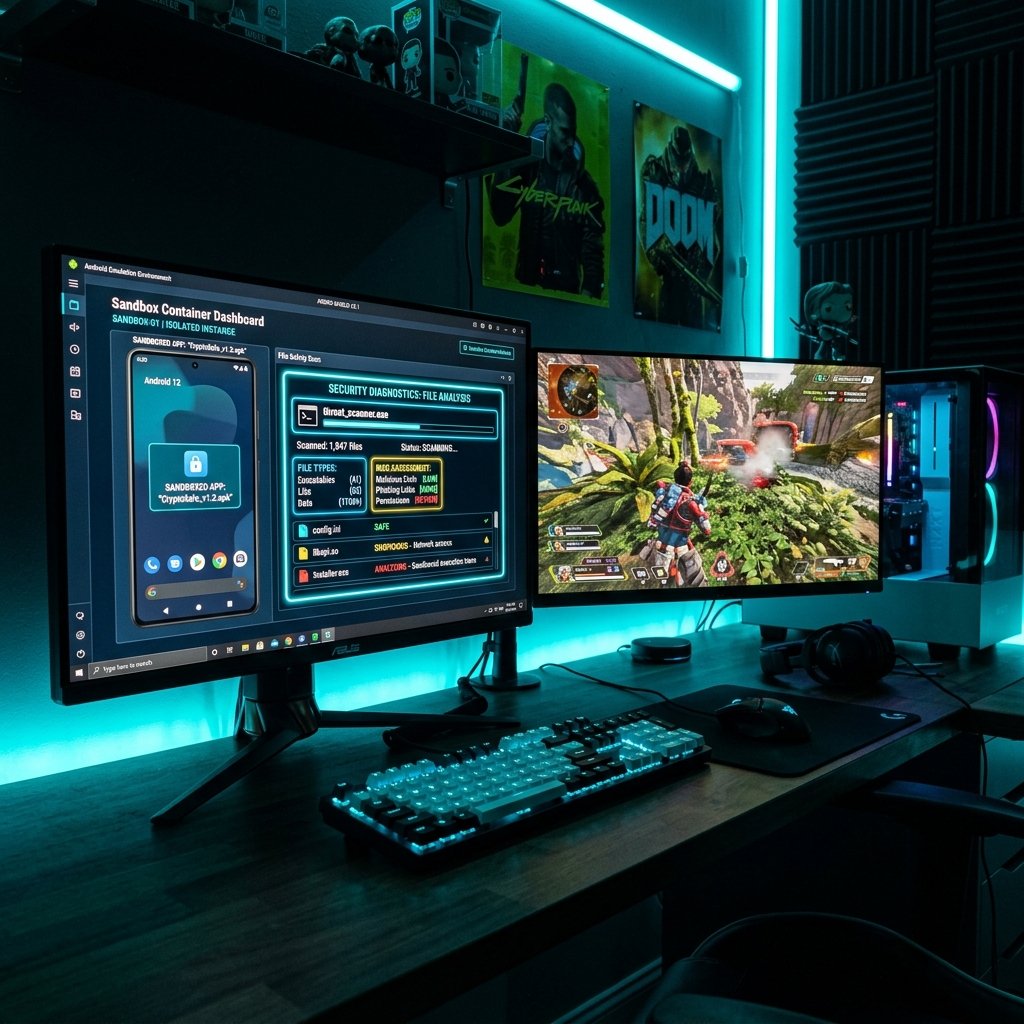
Never run an unverified application on your primary device. Instead, test the file inside an isolated virtual container or sandbox environment.
You can install the APK inside a PC-based emulator (such as BlueStacks, Nox, or LDPlayer) or use Android virtualization apps (like VMOS or Virtual Android). Make sure to configure the emulator with a dummy guest account, and never log into your primary Google, Facebook, or Free Fire profiles. This allows you to verify if the application works without exposing your real personal data.
Common Sideloading Installation Errors & Explanations
When attempting to install unofficial beta clients, players often encounter frustrating errors. Below are the technical explanations and root causes for these common issues:
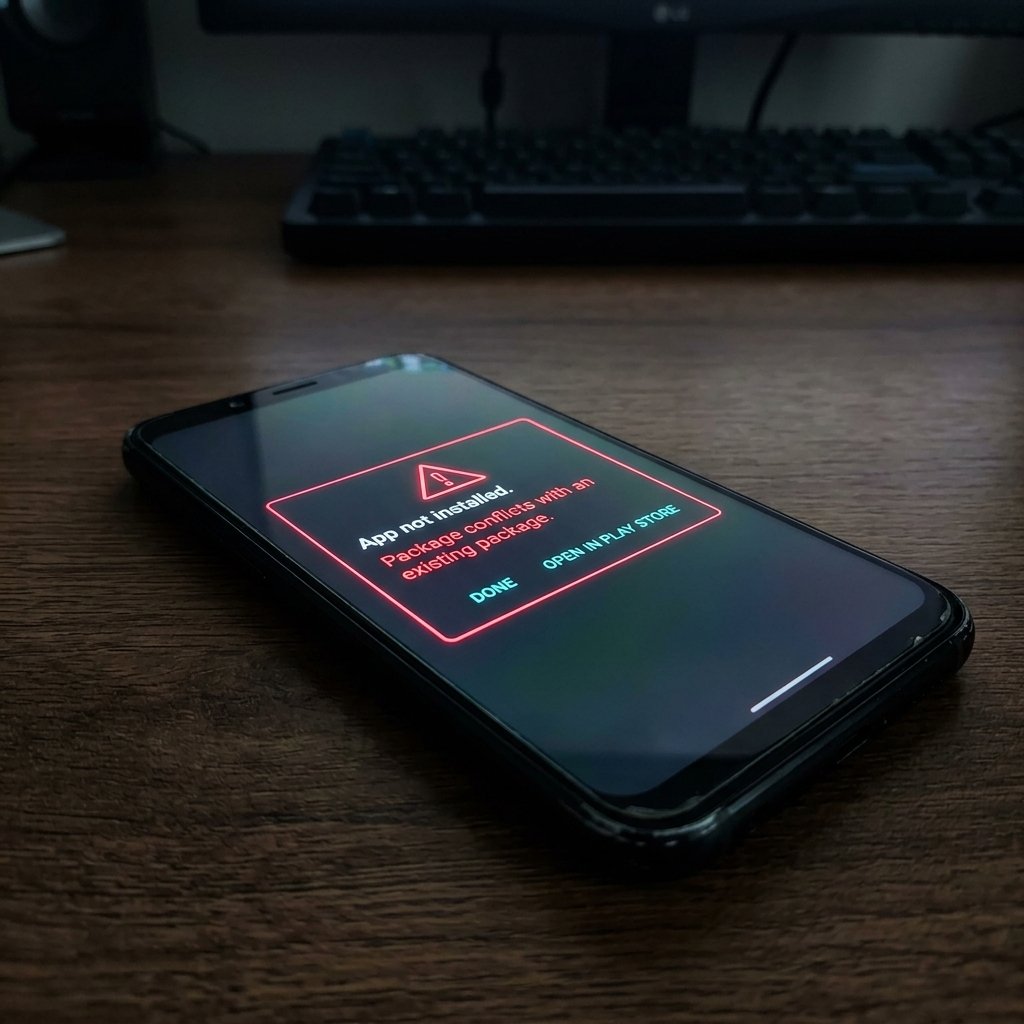
"App Not Installed" (Package Conflict)
Root Cause: This error typically occurs when your system has an existing application with the same package namespace (e.g., Garena's official com.dts.freefireth). Android security rules prevent installing an app with a different signature over an existing app. To resolve this, you would have to uninstall the official game first. Doing so, however, exposes your device to the insecure client and risks losing your local configuration.
"Parse Error" (Corrupted File or SDK Incompatibility)
Root Cause: The package manager could not read the APK file directory structure. This happens when the file is partially downloaded, truncated, or if the file was compressed using an unsupported signature algorithm. It also occurs when the APK's minimum required Android version (defined by minSdkVersion in the manifest) is higher than the OS version currently running on your device.
"Connection Refused" or "Server Unavailable"
Root Cause: The client launched successfully, but it cannot connect to the server emulator. Since modified servers are run by hobbyists on private virtual servers, they lack the capacity to scale and frequently crash. Additionally, Garena actively blocks IP addresses and network hubs that host unauthorized Free Fire servers.
Android Device Specs Needed for Gaming Clients
Because modified beta APKs bypass the optimization and compliance checks Garena applies to its official builds, they consume more system resources. They frequently suffer from memory leaks, frame drops, and CPU overheating.
Review the table below to check if your Android device meets the required hardware baseline:
| Hardware Component | Minimum Requirements | Recommended Specifications |
|---|---|---|
| Android OS Version | Android 6.0 (Marshmallow / API 23) | Android 10.0 (API 29) or higher |
| Processor (CPU) | Quad-Core 1.5 GHz (ARMv7 32-bit) | Octa-Core 2.0 GHz+ (ARM64 64-bit) |
| System RAM | 3 GB RAM | 6 GB RAM or higher |
| Available Storage | 3.0 GB Free Space (Internal) | 6.0 GB Free Space (High-speed UFS) |
| Graphics API Support | OpenGL ES 3.0 | Vulkan 1.1 or higher |
| Network Latency | Ping < 120ms | Ping < 40ms (High-speed Wi-Fi) |
Safer Official Alternatives to Third-Party APKs
Rather than installing unverified files, you should use Garena's official testing pipeline. The official Free Fire Advance Server provides a secure, monitored environment to preview upcoming features.
Official builds are signed with Garena's private cryptographic key and pass Google Play Protect checks. Because the software is secure and does not run background processes, you can play with stable frame rates and without compromising your personal data.
Furthermore, official versions do not require you to unlock bootloaders or bypass system security settings. By sticking to these official releases, you avoid the risks of exposing your operating system to root-level exploits, keyloggers, or background data harvesters. Standard mobile security guidelines recommend that you never bypass OS protections for testing.
The Benefits of Official Testing
The official Advance Server is free, has zero risk of device infection, and does not trigger account bans. If you encounter bugs and report them through the official ticketing interface, Garena rewards you with real Diamonds on your live, global account.
Additionally, you get to experience the gameplay enhancements exactly as intended by the developers, without experiencing the common performance lags, crashes, or connection failures typical of third-party modifications. This is the ultimate win-win scenario for enthusiastic Free Fire players.