
Sideloading Android Package (APK) files outside Garena's official servers bypasses Google Play Protect's sandbox scans. When you download files claiming early access—like the "Astute Beta Server APK"—you assume full responsibility for your device's operating system integrity. This guide details how to perform a professional static and dynamic security audit on any APK file.
1. Android Application Architecture and Sideloading Risks
To perform a security audit on an Android Package (APK) file, you must first understand the architecture of the file format itself. An APK is essentially a ZIP archive that packages compiled source code, asset systems, manifest declarations, resources, and cryptographic signature files. When you install an application, the Android Package Manager extracts these files and places them into targeted system directories, primarily /data/app/.
The standard structure of an APK file includes several essential components:
- AndroidManifest.xml: Unlike the human-readable XML file in the source repository, the APK file contains a binary XML version. This file declares the application package name, entry points (Activities, Services, Broadcast Receivers, Content Providers), SDK versions (minimum, target, and maximum), hardware requirements, and the complete scope of security permissions requested by the application.
- classes.dex: These Dalvik Executable (DEX) files contain the compiled bytecode of the application. Android source code written in Java or Kotlin is compiled first into standard Java class files and then translated by the D8 compiler or R8 optimizer into DEX bytecode. Modern applications often contain multiple DEX files (classes.dex, classes2.dex, etc.) due to the 65,536 method limit of the original DEX specification.
- resources.arsc: A precompiled resource table containing layout definitions, string variables, and attribute identifiers that map the application's XML interface elements to their corresponding Java resource IDs.
- res/: A directory containing resource files that are not compiled into the primary resource table, such as drawables, layouts, and menus.
- assets/: A directory containing raw asset files that the application can read using the AssetManager. Unlike resource files, assets do not receive unique resource IDs and can be structured in arbitrary subdirectory hierarchies. Unfortunately, this folder is a common hideout for malware developers wishing to hide secondary malicious payloads.
- lib/: This directory contains compiled native code shared libraries (
.sofiles) organized by target CPU architectures, such asarmeabi-v7a(32-bit ARM),arm64-v8a(64-bit ARM),x86, andx86_64. - META-INF/: The directory containing cryptographic metadata responsible for verifying the application's integrity, including the manifest file (
MANIFEST.MF), signature file (CERT.SF), and the public key certificate (CERT.RSA).
Android’s security model is built on Linux user isolation. During installation, the operating system assigns a unique User Identifier (UID) to the application. The system kernel enforces strict access control policies based on this UID, isolating the application in its own sandbox directory located at /data/data/<package_name>/. Under normal operating conditions, this sandbox restricts the application from accessing the private directories of other apps, system configurations, or hardware components without explicit permission.
Additionally, Security-Enhanced Android (SEAndroid) applies Mandatory Access Control (MAC) policies to further restrict background processes, restricting system calls and preventing privilege escalation attacks even if a process achieves root privileges.
However, sideloading an APK from unverified third-party sources bypasses the security scans of Google Play Protect. Attackers exploit security vulnerabilities in the operating system kernel or use sophisticated social engineering to obtain runtime permissions that allow them to escape the application sandbox. This makes any sideloaded APK a potential risk for device compromise.
2. Decompiling Bytecode and Static Analysis
The compiled code of an Android application is stored inside one or more Dalvik Executable (classes.dex) files. This code consists of bytecode designed for the Android Runtime (ART) virtual machine. To check if an APK has been tampered with, you can decompile this bytecode into human-readable Java code.

Unlike JVM bytecode, which is stack-based, Dalvik bytecode is register-based. An analyst reading Smali bytecode must follow register allocations (e.g., v0, v1, p0 for parameters). For instance, a method executing an external process in Java:
Runtime.getRuntime().exec("su");
translates into Smali as a series of register moves and method invocations:
invoke-static {}, Ljava/lang/Runtime;->getRuntime()Ljava/lang/Runtime;
move-result-object v0
const-string v1, "su"
invoke-virtual {v0, v1}, Ljava/lang/Runtime;->exec(Ljava/lang/String;)Ljava/lang/Process;
Detecting Hidden DEX Payloads
A common technique used by sophisticated malware to evade static analysis is Dynamic Class Loading (DCL). Security scanners often check the static classes.dex file for suspicious patterns, such as command execution API calls or known command-and-control (C2) domains. To bypass these checks, malware authors build a launcher app that contains only clean, harmless code. During execution, the launcher dynamically loads a secondary, hidden DEX file containing the malicious payload.
The Android Runtime provides several classes to load compiled code dynamically at runtime:
dalvik.system.DexClassLoader: Used to load classes from JAR or APK files containing aclasses.dexentry. It can load files from local storage, meaning the app can write a downloaded file to a directory and run it.dalvik.system.PathClassLoader: A simpler class loader used by the Android system to load the application's primary classes from its installed APK file and local library directories.dalvik.system.InMemoryDexClassLoader: Introduced in Android 8.0 (API 26), this class loader allows loading DEX bytecode directly from a memory buffer (ByteBuffer). This is highly attractive to malware developers because the secondary DEX payload never needs to touch the physical storage disk, leaving no file trace for traditional file-based scanners to examine.
To detect hidden DEX payloads, your static security audit must follow these steps:
- Search for Class Loader Identifiers: Search the decompiled codebase for instances of
DexClassLoader,PathClassLoader, orInMemoryDexClassLoader. Run recursive string searches (grep) fordalvik/systemor dynamic reflections likeClass.forNameandjava.lang.reflect.Method. - Analyze Dynamic Instantiations: Inspect where the app instantiates these class loaders. Look for arguments referencing directories like
getCodeCacheDir()orgetFilesDir(). Malicious apps often decrypt a binary file located in theassets/orres/raw/directory, write it temporarily to the application's private cache folder, load it usingDexClassLoader, and then immediately delete the file from the disk. - Entropy and Asset Integrity Checks: Analyze the files in the
assets/andres/raw/directories. Legitimate resources like images, audio files, and local database files have standard file signatures (magic bytes) and expected entropy ranges. A file containing encrypted bytecode will display exceptionally high entropy (close to 8.0) and lack a valid file header. - Identify Packed Applications: Commercial protectors and packers (such as Qihoo Jiagu, Tencent Legu, or Bangcle) encrypt the entire original
classes.dexfile and inject a stub loader. When the app starts, the stub loader decrypts the original DEX and loads it into memory. You can detect these packers using tools likeAPKiD(a PEiD-like tool for Android), which scans the APK for signature signatures of packers, compilers, and anti-debugging tricks. - Memory Dumping and Frida Hooking: If the application is packed or uses advanced dynamic class loading, static analysis will reveal only the loader stub. To extract the real code, you must hook the class loading methods during runtime using Frida. A script targeting the
dalvik.system.DexFileorjava.lang.ClassLoaderclasses can capture the raw byte array of the dynamically loaded DEX file before it is executed:
Java.perform(function () {
    var DexFile = Java.use("dalvik.system.DexFile");
    DexFile.loadDex.implementation = function (sourcePath, outputDexPath, flags) {
        console.log("[*] Dynamic DEX loaded from: " + sourcePath);
        return this.loadDex(sourcePath, outputDexPath, flags);
    };
});
Once logged, you can extract the decrypted DEX file from the device's memory or cache directory for static analysis in JADX.
3. Auditing the Android Manifest and Permission Scopes
The AndroidManifest.xml file is the central blueprint of any Android application. It declares the app's components, hardware requirements, and the permission scopes it needs to run. Because this file is compiled into a binary format within the APK, you cannot inspect it directly using standard text editors.
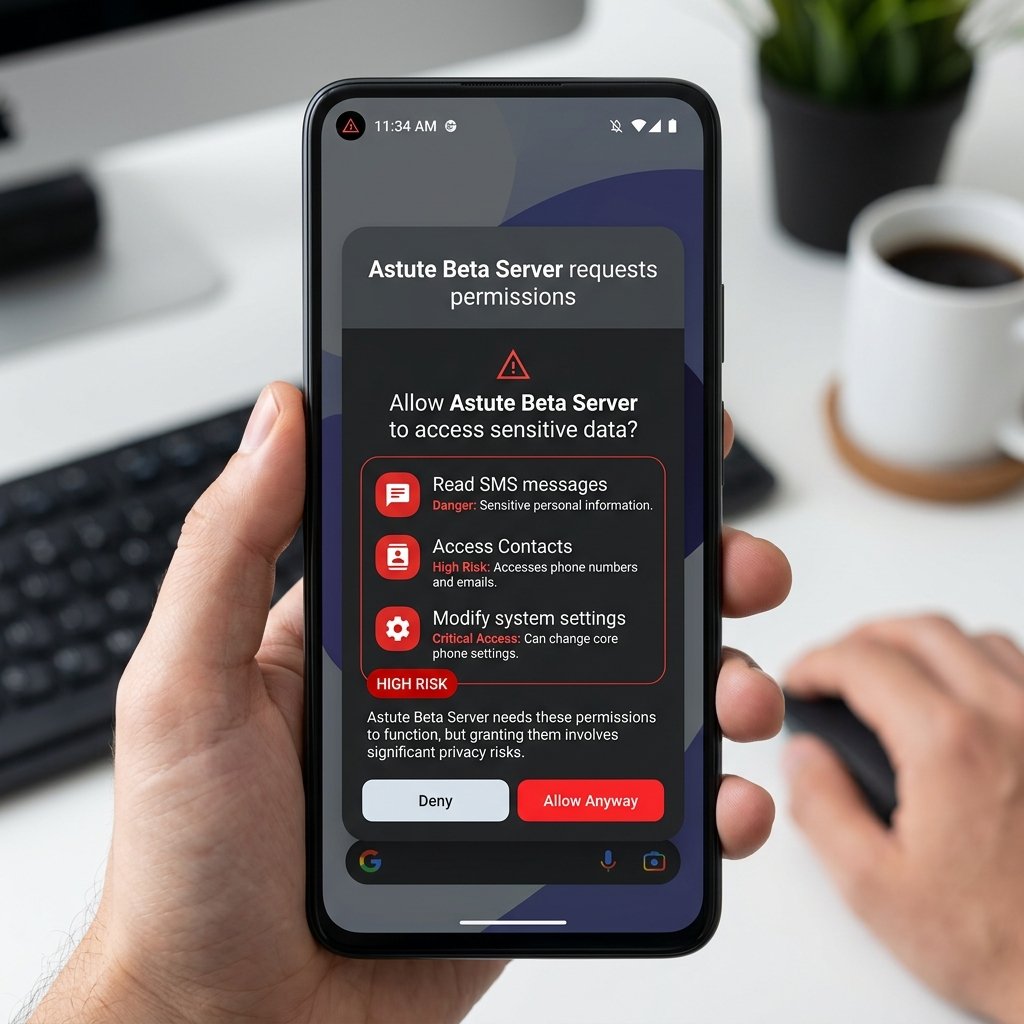
Analyzing Manifest Permissions using Android AAPT
To inspect the manifest and permission scopes without going through the heavy process of decompiling the entire APK (which might fail due to packing or obfuscation), security engineers use the Android Asset Packaging Tool (AAPT or AAPT2). Included in the Android SDK build tools, AAPT offers rapid command-line access to the compiled metadata.
The following commands are critical for an efficient manifest security audit:
aapt dump badging <path-to-apk>: This is the most comprehensive command. It parses the binary manifest and outputs human-readable information including package name, versioning details, launcher activities, target and minimum SDK versions, and requested permissions.aapt dump permissions <path-to-apk>: This command extracts only the permission lines, allowing you to quickly isolate the permission footprints.aapt dump xmltree <path-to-apk> AndroidManifest.xml: This command outputs the raw structure of the binary manifest in a readable tree format, showing intent filters, meta-data elements, and receiver structures.
Security Implications of targetSdkVersion
When auditing the output of aapt dump badging, pay close attention to the targetSdkVersion value. Android introduces new security mitigations with each API level. To maintain backward compatibility, the operating system applies legacy behaviors to apps that target older SDK versions:
- Bypassing Runtime Permissions: If an APK targets an SDK version lower than 23 (Android 6.0 Marshmallow), the system does not prompt the user for runtime permissions. Instead, it grants all declared permissions automatically at the time of installation. Malware developers deliberately set a low target SDK to avoid displaying permissions prompts to the user.
- Scoped Storage Evasion: Android 10 (API 29) and Android 11 (API 30) introduced Scoped Storage, which restricts apps from accessing the global filesystem. If an app targets API 28 or lower, it can continue to use legacy storage access, allowing it to scan the entire external storage partition for private user documents.
- Cleartext Traffic Policy: Starting with API 28 (Android 9.0), cleartext HTTP traffic is disabled by default. An app targeting an older SDK version can transmit user credentials and session tokens over unencrypted HTTP, exposing users to man-in-the-middle (MITM) attacks.
Comprehensive Permission Risk Mapping
The following table details the most critical permissions, their security threat level, and the exploitation vectors used by malicious developers:
| Declared Permission | Security Risk Level | Exploitation Vector |
|---|---|---|
READ_SMS & RECEIVE_SMS |
Critical | Intercepts 2FA codes sent via SMS to access accounts. |
BIND_ACCESSIBILITY_SERVICE |
Critical | Allows keylogging, screen scraping, and automatic button-tapping (overlay attacks). |
SYSTEM_ALERT_WINDOW |
High | Draws fake overlay windows to harvest passwords (tap-jacking). |
REQUEST_INSTALL_PACKAGES |
High | Allows the app to download and install additional malware packages in the background. |
RECEIVE_BOOT_COMPLETED |
Medium | Registers a broadcast receiver that automatically starts malicious services upon device boot. |
QUERY_ALL_PACKAGES |
High | Obtains a list of all installed apps, allowing the malware to identify target banking or security apps. |
WRITE_EXTERNAL_STORAGE |
High | Legacy storage access to read and write files outside the app's sandboxed directory. |
RECORD_AUDIO |
High | Enables background audio recording, acting as a surveillance wiretap. |
ACCESS_FINE_LOCATION |
High | Tracks the user's precise GPS coordinates in the background. |
A battle royale game like Free Fire needs internet permissions (INTERNET), network state metrics (ACCESS_NETWORK_STATE), and occasionally audio recording (RECORD_AUDIO) for voice communication. If a sideloaded package requesting "Astute Beta Server" access demands SMS access or Accessibility control, it is a Trojan designed to hijack your device.
4. Native Code Auditing (ELF Binaries and Shared Libraries)
Many high-performance Android games and applications utilize native shared libraries written in C or C++. These libraries are compiled into Executable and Linkable Format (ELF) binaries, stored inside the lib/ directory of the APK (e.g., libunity.so or libil2cpp.so).
These native binaries execute directly on the system's processor, bypassing the safety checks of the Android Runtime (ART). While this provides maximum rendering performance, it introduces significant security risks:
- Evasion of Bytecode Scanners: Many security tools only inspect
classes.dexfor malicious patterns. Attackers can compile their primary execution logic into a native library (.sofile) and invoke it using the Java Native Interface (JNI) declarations. - Memory Corruption Vulnerabilities: Unlike Java/Kotlin, native C/C++ code is susceptible to memory management issues such as buffer overflows, integer overflows, use-after-free conditions, and memory leaks. Attackers exploit these vulnerabilities to run arbitrary code with the permissions of the host app.
- Binary Hardening Checks: When auditing native libraries, security researchers run checks to ensure they are compiled with modern security flags:
- Stack Canaries: Special values placed on the stack to detect buffer overflows before executing malicious code.
- PIE (Position Independent Executable): Ensures the binary can be loaded at any memory address, rendering Address Space Layout Randomization (ASLR) effective.
- NX (Non-Executable Stack): Marks the stack segment as non-executable to prevent execution of shellcodes injected into stack buffers.
checksecon the extracted.sofiles. - Unity and IL2CPP Reversing: Modern games compiled in Unity often use the IL2CPP backend, which compiles the C# game code into native C++ code and then packages it as
libil2cpp.so. To inspect this code, researchers useIl2CppDumperto extract the metadata fileglobal-metadata.dat(located inassets/bin/Data/Managed/Metadata/). This tool generates dummy C# header files and method offsets, allowing you to load the.solibrary into a disassembler like Ghidra or IDA Pro and locate key game and network functions.
To audit these binaries, security researchers run tools like readelf or load the libraries into disassemblers. They verify that the SHA-256 hash of the native libraries matches Garena's official release signatures, ensuring no custom binaries have been injected.
5. Cryptographic Checksums and APK Signature Verification
Every Android application must be digitally signed with a developer certificate before it can be installed on a device. Android uses this signature to verify the identity of the developer and to ensure the application has not been altered after compilation.

The Evolution of Android Signature Schemes
Android supports four main levels of APK signing:
- v1 Scheme (JAR signing): This legacy scheme signed only the individual files inside the APK archive. It is vulnerable to tampering because attackers can modify files that are not verified by the signature block (such as adding files to the
META-INF/folder) without breaking the signature, and the verification process requires hashing every file individually, slowing down installation. - v2 Scheme (APK Signature Scheme v2): Introduced in Android 7.0, this scheme protects the entire APK file. It inserts an APK Signing Block between the ZIP Central Directory and ZIP Local File headers. Any modification to the file integrity invalidates the entire signature block immediately, preventing tampering and accelerating installation times.
- v3 Scheme (APK Signature Scheme v3): Introduced in Android 9.0, this scheme adds support for key rotation. It includes a proof-of-history struct containing signed statements linking the old signing certificate to the new certificate, allowing developers to upgrade their signing keys.
- v4 Scheme (APK Signature Scheme v4): Introduced in Android 11, this scheme works in conjunction with fs-verity to support incremental APK installation, signing a separate
.idsigfile.
Signature Certificate Validation using Keytool
To perform a signature audit on an APK, you can manually extract the developer certificate and inspect its cryptographic details. Because the APK file is a ZIP archive, you can extract its contents using any archive utility or command-line program:
unzip app.apk "META-INF/*" -d signature_dir/
Within the META-INF/ folder, search for files with the extension .RSA, .DSA, or .EC (such as CERT.RSA). These files contain the public key certificate and the signature block. Once you have located the certificate file, use the Java Keytool utility (included in the JDK) to parse and display its contents:
keytool -printcert -file signature_dir/META-INF/CERT.RSA
Alternatively, you can read the certificate directly from the APK file without extracting it using:
keytool -printcert -jarfile path-to-apk-file.apk
Below is an example of the structured output generated by keytool:
Owner: CN=Garena Online, OU=Mobile Security Division, O=Garena, L=Singapore, C=SG
Issuer: CN=Garena Online, OU=Mobile Security Division, O=Garena, L=Singapore, C=SG
Serial number: 7a8b9c1d2e3f
Valid from: Wed Oct 12 08:30:00 UTC 2022 until: Sun Oct 08 08:30:00 UTC 2047
Certificate fingerprints:
     MD5:  DE:AD:BE:EF:00:11:22:33:44:55:66:77:88:99:AA:BB
     SHA1: FA:CE:BO:OK:00:11:22:33:44:55:66:77:88:99:AA:BB:CC:DD:EE:FF
     SHA256: 9E:2D:5C:8B:7A:6F:4D:3C:2B:1A:09:88:77:66:55:44:33:22:11:00:AA:BB:CC:DD:EE:FF:11:22:33:44:55
Signature algorithm name: SHA256withRSA
Subject Public Key Info: 2048-bit RSA key
Version: 3
When analyzing this output, examine the following fields:
- Owner and Issuer: The Common Name (CN), Organizational Unit (OU), and Organization (O) should match the official developer identities. For Garena games, it must point to Garena Online. If these fields contain generic values (e.g.,
CN=Android Debug,CN=testkey,O=Android) or are self-signed by an unknown publisher, the APK is an unofficial build. - Validity Period: Make sure the current date falls within the validity window.
- Fingerprints: Cryptographic fingerprints (SHA-256) are unique identifiers of the developer's public key. Compare the SHA-256 fingerprint from the
keytooloutput against the fingerprint of a known legitimate version of the game. If the signatures do not match, the APK has been recompiled and resigned by a third party, suggesting malicious modifications.
Verification using APKSIGNER
To verify the complete signature chain and check if the APK has been modified since it was signed, use Android's official apksigner tool, which is included in the Android SDK build tools. You can run the following command:
apksigner verify --print-certs --verbose path-to-apk-file.apk
The output will display the signer's certificate information, including the certificate's SHA-256 fingerprint. It verifies if V1, V2, V3, and V4 signatures are present and valid, and identifies any integrity warnings, such as unrecognized files in the archive or missing signature block mappings. If apksigner returns an error or warning, the Android OS will block the installation of the APK on modern devices.
6. Sandbox Isolation and Dynamic Analysis
Static analysis provides a snapshot of the code structure, but sophisticated malware can hide its behavior until it is executed. To capture its real-time behavior, you must run the application inside an isolated testing sandbox.

Setting Up a Virtual Analysis Environment
Never test an untrusted APK on your primary personal device. Use one of the following isolated environments:
- Android Virtual Device (AVD): The emulator built into Android Studio allows you to create virtual devices running clean, official Google system images. You can select images without Google Play Services APIs to inspect basic system calls, or run rooted system images for advanced analysis.
- Genymotion: A fast commercial emulator that runs on VirtualBox. It allows you to configure different virtual device specifications and simulates various network conditions.
- Physical Burner Device: A dedicated physical Android device that has been factory reset, contains no personal accounts, and is connected to an isolated guest Wi-Fi network.
Dynamic Instrumentation with Frida
Frida is an open-source dynamic instrumentation toolkit that allows you to inject custom JavaScript scripts into an application's runtime process. In a security audit, Frida is used to bypass SSL Pinning, inspect variables in memory, and hook dangerous method calls.
For example, malware may use SSL Pinning to prevent security analysts from intercepting its network traffic. You can run a Frida script to hook the trust managers and force the application to accept your local interception certificate:
Java.perform(function () {
    var TrustManagerImpl = Java.use('com.android.org.conscrypt.TrustManagerImpl');
    TrustManagerImpl.checkTrustedRecursive.implementation = function(certs, host, clientAuth, untrustedChain, trustAnchorChain, index) {
        console.log("[*] Bypassing TrustManagerImpl for host: " + host);
        return certs; // Return certificates without verification
    };
});
To run the script and hook the target application, use the command:
frida -U -f <package-name> -l bypass-ssl.js --no-pause
Intercepting Network Traffic
To intercept and analyze the application's network traffic:
- Set Up an Interception Proxy: Run Burp Suite or OWASP ZAP on your host computer. Configure the proxy listener to listen on all interfaces (e.g., port 8080).
- Configure Emulator Network: Set the Android emulator's network settings to route traffic through the host computer's IP address and proxy port.
- Install the CA Certificate: Starting with Android 7.0 (API 24), the OS by default does not trust user-installed CA certificates for secure connections. To bypass this, you must install your proxy's CA certificate into the system certificate store:
- Export the CA certificate in DER format.
- Convert it to PEM format using OpenSSL:
openssl x509 -inform DER -in cacert.der -out cacert.pem - Calculate the subject hash:
openssl x509 -inform PEM -subject_hash_old -in cacert.pem | head -1(e.g.,9a5ba575). - Rename the PEM file to
<hash>.0(e.g.,9a5ba575.0). - Connect the emulator via adb, remount the system partition as read-write (
adb rootfollowed byadb remount), and push the file:adb push 9a5ba575.0 /system/etc/security/cacerts/. - Set permissions:
adb shell chmod 644 /system/etc/security/cacerts/9a5ba575.0.
Once installed, the emulator will treat your proxy as a trusted system authority. You can now monitor HTTPS connections for command-and-control communication, plain-text credential transmission, or exfiltration of sensitive device data (such as IMEI, IMSI, contact lists, and SMS logs).
7. The Security Auditing Checklist
Before installing any sideloaded application, use this quick checklist:
1. Verify File Hash Integrity
Generate the SHA-256 hash of the downloaded APK file (using commands like certutil -hashfile app.apk SHA256 on Windows or sha256sum app.apk on Linux). Verify this hash against the values provided by official release channels to rule out any modification in transit.
2. Perform Signature Validation
Use apksigner to verify that the APK has a valid signature. Extract the developer certificate using unzip and run keytool -printcert -file META-INF/CERT.RSA. Confirm that the certificate fingerprints match Garena's official publisher identity.
3. Audit Manifest Declarations via AAPT
Use aapt dump badging app.apk to extract permissions and configurations. Check if the targetSdkVersion is set to a low value (below API 23), which bypasses runtime permission prompts. Flag any critical permissions (SMS, Accessibility, System Overlays) that do not match the functionality of the app.
4. Scan for Hidden Bytecode and Packers
Decompile the application with JADX. Scan the code for dynamic class loading hooks (DexClassLoader, InMemoryDexClassLoader) and verify that no encrypted DEX files are stored inside the assets/ directory. Run APKiD to identify packer structures.
5. Analyze Native Shared Libraries
Extract .so files from the lib/ directory and check if they are compiled with hardening features (Stack Canaries, PIE, ASLR). For Unity-based games, use Il2CppDumper to extract class metadata from global-metadata.dat.
6. Execute in an Isolated Sandbox
Install and test the application within an isolated Android Virtual Device (AVD). Use Frida to hook and monitor class loader instances and bypass certificate pinning. Route all network traffic through a proxy (like Burp Suite) to inspect outbound connections for unauthorized data exfiltration.
If the APK fails any of these checkpoints, delete it immediately. Protecting your system and accounts is far more important than getting early access to a new game update.