
Astute Beta Server Guide is an independent, unofficial educational platform. We are **not affiliated with, associated with, authorized by, endorsed by, or in any way officially connected with Garena Online Private Limited**, Free Fire, or any of their subsidiaries. This document outlines our disclaimers regarding software usage, trademark licensing, account security, and information accuracy.
1. Unofficial Status, Independent Research, and Technical Architecture Distinction
All content, guides, tutorials, structural analyses, and mobile security evaluations published on Astute Beta Server Guide are generated by independent software developers, security analysts, and reverse-engineering enthusiasts. We do not act as agents, representatives, licensees, or affiliates for Garena Online Private Limited, Garena International, Sea Limited, or any of their parent, subsidiary, or sister corporations. This platform is operated purely as an independent educational resource, and the operators do not maintain any commercial or legal relationship with the trademark holders of Free Fire.
To ensure total transparency, it is critical to outline the technical distinction between the official cloud-based services maintained by Garena and the third-party emulation packages or modified application packages (APKs) frequently discussed in online forums:
- Official Garena Infrastructure: The official Free Fire application communicates with a highly complex, proprietary backend system. User accounts, cosmetic collections, character ranks, diamond balances, and matchmaking systems are managed strictly on Garena's cloud servers (utilizing enterprise-grade database solutions, dynamic load balancing, and regional routing gateways). The game state is simulated on authoritative servers, which compute coordinates, weapon trajectories, and action frames. Connections are established over encrypted UDP/TCP channels, and session authentication is secured via OAuth 2.0 integrations with Google, Facebook, VK, or Garena's native accounts.
- Third-Party Emulations: Emulators such as BlueStacks, LDPlayer, NoxPlayer, and MSI App Player operate by creating a virtualized Android environment (typically running Android x86 or a virtual ARM layer) on host operating systems like Microsoft Windows or macOS. These emulators rely on translation layers (like Intel Houdini or libndk translation engines) to run mobile binary instructions on desktop CPU architectures (x86/x64). While these environments run the official game APK downloaded from authorized storefronts, they introduce architectural variations—such as custom keymapping hooks, virtualized input drivers, and synthetic hardware identifiers—which are structurally distinct from the native mobile sandboxes provided by iOS and physical Android devices.
- Modded Clients and Unofficial Packages: Modified clients (often distributed as cracked APKs or OBB files) are created by decompiling official application binaries, modifying compiled bytecode (Dalvik Executable format, or
.dex), patching native shared libraries (such aslibil2cpp.soorlibunity.socontaining the game's core logic), and recompiling the application. These modifications bypass the Android package manager's signature verification and execute unauthorized instructions locally. Unlike the official client, which remains locked within the device's secure sandbox and communicates with official telemetry endpoints, modified clients frequently intercept local memory, bypass security checks, and run risk-heavy scripts that expose user systems to external server dependencies.
Our publication of research regarding these systems is strictly informational. We do not host, sell, distribute, or license any third-party emulators or modded clients. All links or references to official resources (such as the Free Fire Advance Server) point exclusively to Garena’s official domain structures, such as ff.garena.com and ff-advance.ff.garena.com.
If you require support for account restoration, billing errors, or network latency, you must contact Garena's official help channels.
2. Technical Breakdown of Software Installation and Sideloading Risks
Downloading, sideloading, and installing application packages (APKs) or game data files (OBBs) from third-party sources outside the Google Play Store or Apple App Store carries severe technical and security risks. While Astute Beta Server Guide offers documentation, guides, and static analyses of these file configurations, you—the user—bear sole responsibility for any modifications, installations, or configurations you apply to your personal hardware.
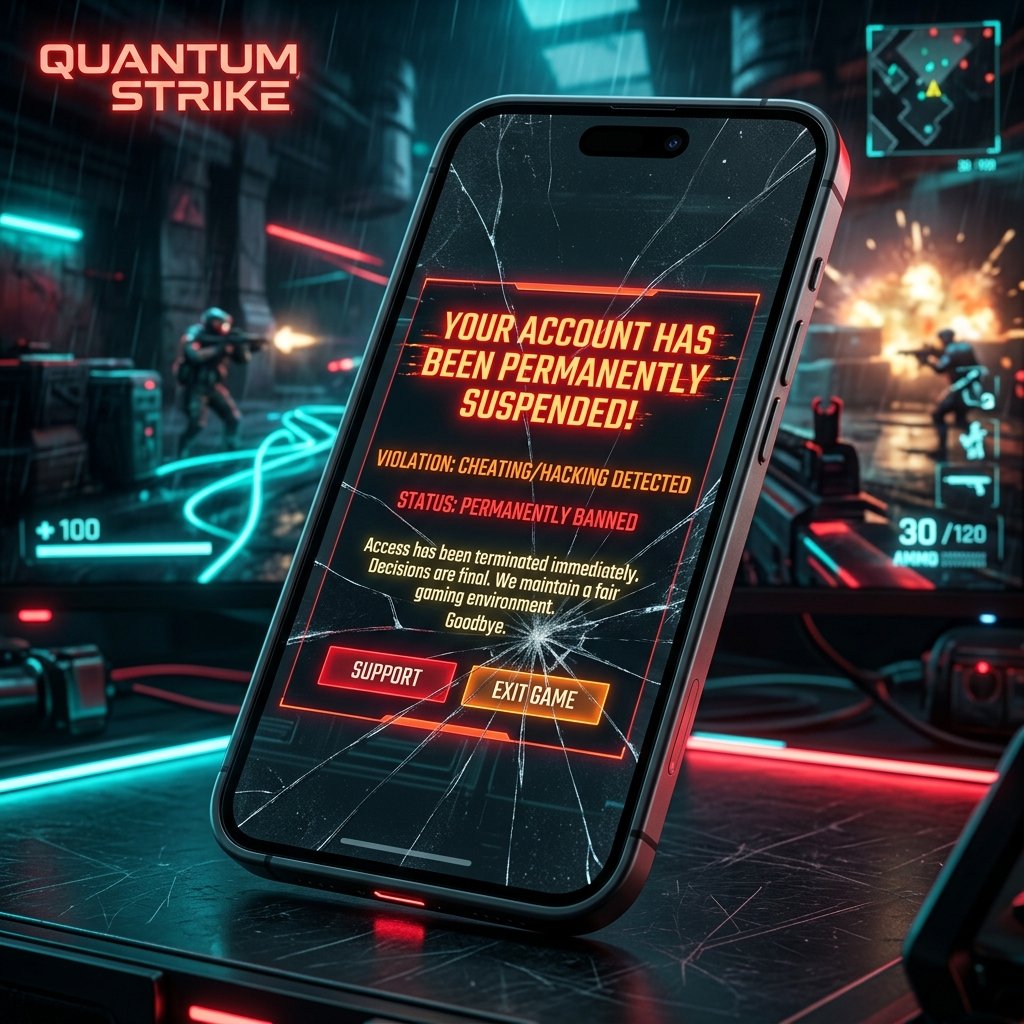
Understanding the internal structure of an Android Application Package (APK) clarifies why sideloading modified files presents major vulnerabilities:
- Compromised Compilation Chains: During the compilation of an unofficial or modified APK, developers must decompile the original Dalvik bytecode into readable Smali assembly instructions using tools like Apktool or Jadx. Once modified, this bytecode is reassembled. Because the original developer’s cryptographic private key is inaccessible to third parties, the resulting package must be signed using a new, custom, or self-signed cryptographic certificate. This breaks the chain of trust established by the official Google Play Protect system, preventing automatic security scanning and exposing the system to injection of malicious code.
- Malicious Payload Injection: Unofficial packages frequently contain integrated remote access tools (RATs), spyware, keyloggers, or hidden adware libraries. These payloads can execute in the background with administrative permissions, allowing third parties to log keystrokes, intercept SMS verification codes (crucial for multi-factor authentication), exfiltrate personal photos, or compromise financial credentials.
- Sandbox and Privilege Escalation: Android relies on application sandboxing to isolate process executions. Installing an APK from "Unknown Sources" bypasses default package manager checks, and if a modified app requests advanced system permissions (such as
SYSTEM_ALERT_WINDOWfor drawing overlays orWRITE_EXTERNAL_STORAGEfor modifying system files), it can exploit underlying operating system vulnerabilities to escalate privileges, monitoring user behavior across unrelated applications.
To mitigate these concerns, we recommend that users perform a rigorous technical security audit on any mobile application file before attempting installation in an isolated research environment:
- Verify Hash Signatures: Before executing or transferring an APK, generate its cryptographic SHA-256 hash using a local terminal. In Windows PowerShell, execute:
Get-FileHash -Path "C:\path\to\target.apk" -Algorithm SHA256. Compare this checksum against the known official hashes published on secure developer portals to ensure the file has not been altered in transit. - Inspect Certificate Data: Extract the public certificate (typically located in the
META-INF/folder of the APK archive asCERT.RSAorBNDLTOOL.RSA) and inspect the certificate details using OpenSSL or Java's Keytool:keytool -printcert -file META-INF/CERT.RSA. Verify that the issuer, owner, and signature algorithms align with legitimate, certified developers rather than anonymous or self-signed entities. - Execute Static Analysis: Utilize automated open-source mobile security frameworks (such as MobSF - Mobile Security Framework) in a local Docker container. Analyze the
AndroidManifest.xmlfor highly dangerous permission requests, hardcoded API endpoints, obsolete cryptography libraries, and embedded tracking SDKs. - Deploy Dynamic Network Interception: Run the application within an isolated Android emulator that does not contain personal accounts or sensitive data. Configure the emulator to route network traffic through an intercepting proxy (such as Mitmproxy or Wireshark). Monitor all outbound HTTP/HTTPS/TCP requests to ensure the application does not transmit background telemetry to unverified IP addresses or known malicious command-and-control (C2) servers.
3. Deep Warning on Memory Modification, EULA Violations, and Server-Side Validation Limits
The developers of Garena Free Fire employ advanced anti-cheat frameworks, memory protection algorithms, and server-side telemetry validation systems to maintain the competitive integrity of their multiplayer environment. Under Section 2 of Garena's End User License Agreement (EULA) and terms of service, users are strictly prohibited from using unauthorized third-party software, scripts, plugins, or modifications that alter, hook, intercept, or automate any aspect of the game client or network communication. Violating these provisions results in permanent account suspension, loss of in-game purchases, and hardware-level bans.
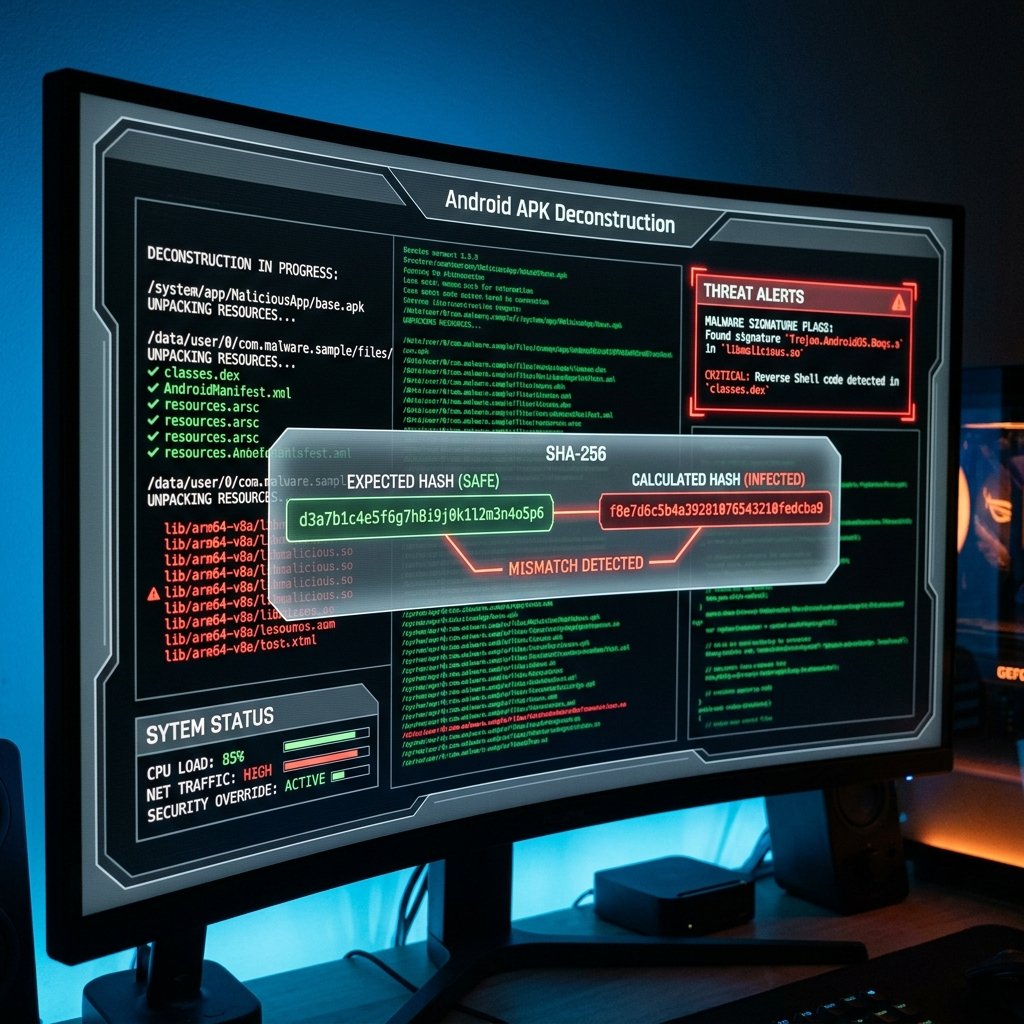
To understand why third-party modification utilities (such as memory editors, script injectors, or patched client binaries) inevitably trigger bans, it is necessary to examine the technical mechanics of memory space operations and server validation:
- Mechanics of Memory Manipulation: Memory editing tools (such as GameGuardian or native memory scanners) attempt to gain read and write access to the virtual address space of the running game process (usually requiring root access or special permissions like
ptracesystem calls on Linux/Android). These utilities scan the device's RAM for specific numerical values (e.g., coordinates, health points, ammunition counts, or game variables) and attempt to freeze or overwrite them. - Memory Protection Defenses: The official game client utilizes advanced counter-measures to detect such interference. These include Address Space Layout Randomization (ASLR), which randomizes the location of key data structures and code in memory, making hardcoded pointers useless. Furthermore, the client employs anti-debugging routines that constantly poll
/proc/self/statusand/proc/self/wchanto detect if a debugger is attached. It also performs routine integrity checks on the text segment of the loaded ELF binary, comparing the memory checksum of active instructions against the clean on-disk image to flag unauthorized code injection or function hooking. - The Authoritative Server Boundary: The most significant barrier to client-side modification is the Authoritative Server Model. Modern multiplayer games are designed with the assumption that the game client is untrusted. The client functions primarily as a visual rendering engine and an input collection terminal, while the server maintains the official, master game state:
- Movement Verification: When a player moves, the client transmits input vectors and coordinates to the server. The server simulates the character's movement physics on its side. If the distance traveled between frame updates indicates a velocity vector that exceeds the physical speed cap of the character, the server flags the movement as an anomaly. This leads to immediate rollback desynchronization (rubber-banding) and sends a telemetry flag to the anti-cheat logging backend.
- Damage and Combat Calculations: Bullet hits, weapon recoil patterns, rate-of-fire limits, and headshot vectors are calculated and verified on the server. If the client reports a hit but the server's spatial collision detection (hitbox simulation) determines that the line of sight was blocked or the weapon's fire-rate limit was exceeded, the damage is discarded, and the action is flagged as a violation.
- In-Game Currency and Databases: Critical values such as gold, diamonds, character unlocks, and inventory status are stored in highly secure, distributed database structures on the server. Memory editors may modify the visual display of diamonds in the local RAM, creating the illusion of a massive balance on the screen. However, this is merely a localized client-side representation. As soon as the client attempts to make an in-game purchase, the transaction request is sent to the server. The server verifies the user's actual database entry, detects the discrepancy, rejects the transaction, and logs the incident for immediate account suspension.
- Hardware-Level Tracking (HWID Bans): When the anti-cheat system detects a EULA violation, it does not merely suspend the user's login credentials. The client collects a combination of hardware signatures—including the Media Access Control (MAC) address, CPU serial number, IMEI, Android ID, kernel build signature, and storage serials—to compile a unique Hardware Identifier (HWID). This signature is blacklisted on Garena's authentication servers. Once blacklisted, any account attempting to log in from that physical device or emulator will be instantly blocked, rendering device spoofing or factory resets ineffective without complex kernel-level modifications.
4. Trademark Fair Use, Intellectual Property, and Educational Scope
All product names, logos, branding elements, trademarks, registered trademarks, and copyrighted assets referenced on this website are the sole property of their respective owners. These include, but are not limited to: "Garena", "Free Fire", "Garena Free Fire", the Garena logo, Free Fire logo, specific game mode titles, maps (such as Bermuda, Purgatory, Kalahari), character names and likenesses (e.g., Kelly, Alok, Maxim, Wukong), weapon names, and in-game graphic designs. These intellectual properties belong exclusively to Garena Online Private Limited, Sea Limited, or their respective licensors.
The presence and use of these intellectual property assets on Astute Beta Server Guide are governed by the strict principles of Nominative Fair Use and Descriptive Fair Use under international trademark law and national regulations (such as 15 U.S.C. § 1125 in the United States and equivalent provisions in other jurisdictions):
- Nominative Fair Use Criteria:
- Identifiability: The game, software versions, and security configurations discussed on this website cannot be reasonably identified or analyzed without direct reference to the trademarks "Garena Free Fire" and associated character/system terms. Attempting to describe compatibility, security risks, or installation instructions using generic terminology (e.g., "a popular mobile battle royale game") would cause confusion and render the educational guides useless.
- Minimal Usage: We only reference the trademarks in plain-text format to the extent necessary to identify the software and explain its security parameters. We do not use Garena's stylized logos, corporate trade dress, marketing slogans, or proprietary graphical banners. The visual layout and graphical elements of this website are entirely custom-designed and independent.
- No Implied Sponsorship: The content on Astute Beta Server Guide is carefully structured to avoid implying any affiliation, sponsorship, endorsement, authorization, or official partnership with Garena. Our prominent legal warnings, independent research disclosures, and extensive explanations of anti-cheat bans demonstrate that we operate as an external, objective security review platform.
- Educational and Defensive Scope: The core objective of Astute Beta Server Guide is to publish independent research, security audits, and safety documentation. We aim to protect mobile users from online scams, phishing attempts, credential theft, and system-compromising malware. Many third-party websites lure players with promises of unauthorized features or free in-game currency, which are actually vectors for distributing malicious software or stealing login credentials. By providing deep technical analyses, we educate the public on the severe risks of running modified clients and help users maintain the security of their devices and the integrity of their accounts.
5. Comprehensive Step-by-Step Security Auditing and Device Sanitization Guide
If you have previously downloaded or installed any unofficial application packages (APKs), custom game clients, memory modification tools, or automation scripts, your device security and game account integrity may be severely compromised. In many cases, residual files, background services, or modified system settings remain active even after a standard uninstall. This detailed, step-by-step technical guide outlines how to audit, clean, and sanitize your Android or emulation environment to restore security and prevent automated anti-cheat bans:

Follow these procedures systematically to restore device integrity:
- Step 1: Uninstall the Unofficial Package and Purge Local Caches
- Open the Android Settings menu and navigate to Apps (or App Management).
- Scroll through the list of installed applications and locate any suspicious clients or third-party modification utilities.
- Tap the application, select Force Stop to terminate all active processes, and then navigate to the Storage & Cache section.
- Select Clear Cache and Clear Storage (or Clear Data). This purges the app's local SQLite databases, preference files, and temporary cache folders.
- Return to the app info screen and select Uninstall to remove the primary application binary.
- Step 2: Remove Leftover Directories and OBB Assets
- Open a reputable file manager application that has access to your device's internal storage directories.
- Navigate to the
/sdcard/Android/data/directory. Search for folders containing package names related to the game or the modification tool (for example, look for any folder with names likecom.dts.freefirethor custom variations). Delete these folders completely. - Navigate to
/sdcard/Android/obb/and check for any residual OBB expansion files that do not match the official hashes. Delete any suspicious directories. - Check the root of your internal storage (
/sdcard/or/storage/emulated/0/) for hidden directories (folders starting with a period, such as.ggor.mod) and remove them.
- Step 3: Conduct a Full Malware and Threat Scan
- Download and install a verified, reputable mobile security scanner (such as Malwarebytes, Bitdefender, or Sophos Intercept X for Mobile) from the official Google Play Store.
- Run a full deep system scan of your device's memory, system files, and installed packages.
- Review any flagged files, PUPs (Potentially Unwanted Programs), or riskware, and authorize the security software to quarantine or permanently delete them.
- Step 4: Revoke System-Level Permissions and Sandbox Overrides
- Navigate to Android Settings > Apps > Special App Access (sometimes located under Advanced settings).
- Select Install Unknown Apps (or Sideloading Permissions).
- Scroll through the list of apps and toggle the setting to Not Allowed for all browsers (such as Google Chrome, Firefox), file managers, Discord, and messaging utilities. Sideloading permissions should only be enabled temporarily when explicitly needed and disabled immediately afterward.
- Check the Display Over Other Apps (or Draw Over Other Apps) permissions and disable this setting for any utility that is not from a trusted developer, as this permission is frequently exploited to overlay transparent windows and capture touch events.
- Step 5: Audit Root Access and System Integrations
- Open your root manager application (e.g., Magisk App).
- Review the list of granted superuser (root) permissions. Revoke root access for all unauthorized applications.
- Check the installed modules section. Remove any modules that modify system libraries, hook runtime environments (such as Xposed or LSPosed frameworks), or attempt to hide root status, as these integrations are easily detected by modern anti-cheat signatures.
- For maximum security, we recommend disabling root access entirely or flashing your device back to its official, stock factory firmware.
- Step 6: Reset Device Identifiers and Clear Google Play Services Cache
- Open Android Settings > Privacy > Ads.
- Tap Reset Advertising ID to generate a new, random identifier for your device.
- Navigate to Settings > Apps > Google Play Services > Storage and select Clear Cache and Manage Space > Clear All Data. This refreshes your device's Google API cache and resolves synchronization inconsistencies.
6. Absolute Limit of Liability, Legal Agreement, and Inquiries
Under no circumstances—including negligence—shall the owners, operators, developers, editors, or contributors of Astute Beta Server Guide be held liable for any direct, indirect, incidental, special, consequential, or punitive damages, or any loss of profits, revenue, data, or game accounts, arising from your access to, use of, or inability to use this website, or your reliance on any guides, code analysis, tutorials, security checks, or troubleshooting instructions provided herein.
This limit of liability applies to, but is not limited to:
- Any suspension, ban, or restriction applied to your official Free Fire account or associated credentials by Garena Online Private Limited or its anti-cheat systems.
- Any hardware malfunctions, device bricking, boot loops, file corruption, operating system vulnerabilities, or security breaches resulting from the installation of sideloaded applications or custom binaries mentioned on this site.
- Any data leakage or unauthorized access to personal accounts occurring on your device due to third-party software installations.
By continuing to access and browse this website, you explicitly confirm that you have read, understood, and agreed to the terms of this legal disclaimer. You acknowledge that you use all information and software guides entirely at your own risk. If you do not agree to these terms, you must immediately close this website and refrain from using any information or guides provided here.
If you have questions about these notices or wish to request corrections, contact our team via email at support@worldboxapk.net.